Stop managing work
on WhatsApp & Excel.
One place to assign, track and complete work — while management sees what is on track, delayed and at risk.
Watch a task disappear.
Left: a task being buried right now. Right: the same task in a place with a memory.

Five places. No single source of truth.
Deadlines slip silently. Status is asked, not read.
TaskMIS is the one place a commitment lives — owner, date, and the reason every time it moves.
WhatsApp talks. Excel tracks.
TaskMIS drives completion.
- Tasks scattered across chats and filesSpread out and easy to miss.
- Ownership unclear“I thought you had it.”
- Deadlines quietly disappearChanges are not captured.
- MIS built by hand at month-endSlow, and easy to get wrong.
- Follow-up depends on memoryImportant tasks get missed.
- No history when things go wrongHard to trace what happened.
From follow-ups
to outcomes.
- One system, one source of truthEvery task, update and reason in one place.
- Every task has one ownerNever “someone”.
- Every date change recorded with a reasonManagement sees why, not just what.
- Live MIS, Excel export in one clickAlways current.
- Overdue, waiting and gone-quiet flaggedAttention goes where it is needed.
- Complete, uneditable task journeyWhat happened, when, and why.
Different tools.
A complete solution.
Conversations start work. TaskMIS finishes it.
TaskMIS does not read your WhatsApp — it replaces the task thread. Your Excel tracker imports in one step.
From assignment to completion in four steps.
One owner, one deadline.
Updates land on the task, not in a chat.
Overdue, at risk and waiting — live.
MIS reports, Excel in one click.
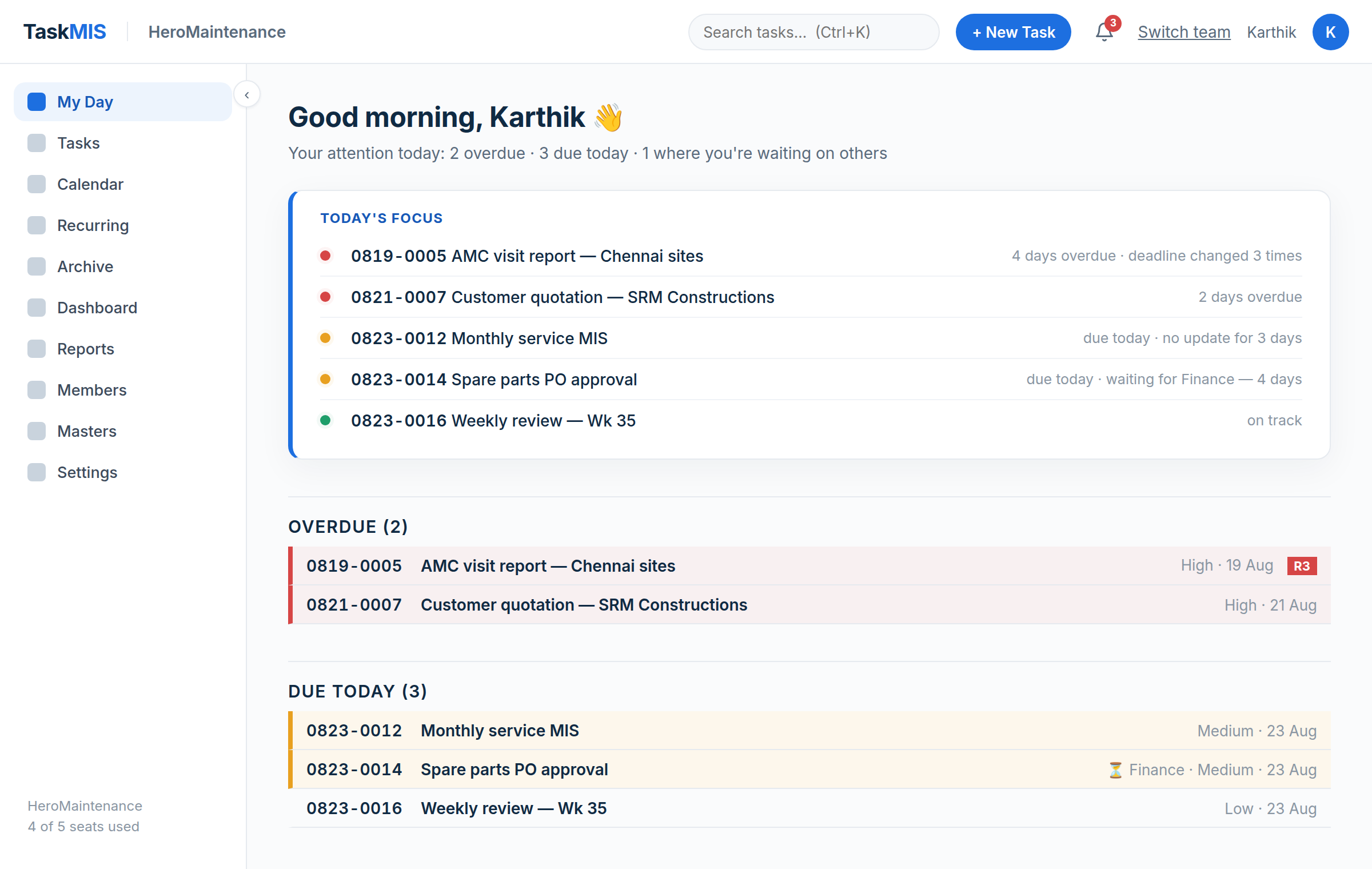
Three screens. The whole story.
Every member starts on one screen: overdue, due today, waiting on someone. Already sorted.
Your team’s whole month, on one screen.
Who is carrying what, what is late, what lands next week — colour by person or by status.
Hover any day. Red ring = something is late. This is the real month view — sample data.
visibility
decisions
Tasks don’t slip here.
Every deadline change is recorded with a reason — so management sees not just what is late, but why.
Counted, badged on the task, and uneditable — forever.
Built for teams where execution matters.


Questions we get asked.
Does TaskMIS read my WhatsApp messages?
No. TaskMIS does not connect to WhatsApp and does not read your chats. It replaces the task thread — keep the group for talking, and let tasks, deadlines and their reasons live somewhere that does not scroll away.
Can I import my existing Excel tracker?
Yes. Your current sheet imports in one step, with owners, deadlines and history preserved. You do not start from an empty screen.
What happens when a deadline moves?
Moving a deadline requires a reason. The change is recorded permanently, counted and badged on the task (R1, R2, R3), and reported monthly — so a date can move, but it cannot move silently.
Who can see what?
Visibility follows your reporting structure. Admins see the whole team, heads of department see their reporting line, and members see their own work. The same rule applies to every dashboard and report.
Is my data secure, and can I get it back out?
Encrypted in transit and at rest, with bank-grade isolation between customers. You can export your complete data at any time.
Do we need to install anything?
No. TaskMIS runs in a web browser on a laptop or a phone. Nothing to install, and nothing for your IT to maintain.

Stop chasing tasks. Start managing execution.
Open to every team. Create your workspace and import your Excel sheet in minutes — or book a 20-minute walkthrough on your own tasks. Questions? support@taskmis.com
Or book the 20-minute walkthrough: